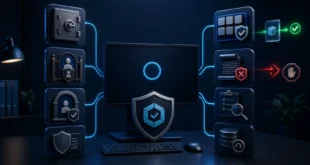
Windows Server 2025 supports Remote Desktop Services, but placing a Session Host or ordinary RDP listener directly on a public IP creates a high-value password-guessing and vulnerability-exploitation target. The safer design exposes an RD Gateway or a well-managed VPN, requires multifactor authentication, and keeps TCP/UDP 3389 unreachable from the public internet.
Changing the RDP port can reduce commodity scan noise. It is not a security boundary: port scanners discover the new listener, and every authentication and patching weakness remains.
Use a Gateway Architecture
Microsoft’s Windows Server RDS overview describes RD Gateway as the external entry point that encapsulates RDP in HTTPS on TCP 443. The internal Session Host remains behind the gateway, while connection and resource policies control who can reach which systems.
A production design should separate roles where scale and risk justify it:
- edge firewall permits HTTPS only to the RD Gateway;
- RD Gateway authenticates the user and applies policy;
- MFA challenges the remote sign-in;
- internal firewall permits RDP from the gateway, not from the internet;
- Session Hosts run user applications with limited access to other networks;
- logs flow to a protected monitoring system.
For a small administrative environment, a VPN with MFA and a narrow management subnet can provide the same essential property: RDP is reachable only after a separate authenticated network connection.
Require MFA and Network Level Authentication
Microsoft’s RDS MFA planning guidance uses RD Gateway, Network Policy Server, and the Microsoft Entra MFA extension as one supported architecture. Other supported identity providers can be used, but the second factor must protect the actual remote-access entry point rather than an unrelated portal.
Enable Network Level Authentication so credentials are checked before a full desktop session is created. Use long, unique passwords, disable stale accounts, and prefer named administrative accounts over shared credentials. A local Administrator account should not be the everyday remote login.
Set account-lockout and smart-lockout policies carefully. They slow guessing but can also let an attacker deny service by deliberately locking known users. MFA, source restriction, and detection remain necessary.
Restrict the Network Path
At the perimeter firewall, allow only the gateway or VPN ports required by the design. On the Session Host, allow RDP only from the gateway, VPN subnet, or a small administrative allowlist. Deny all other inbound traffic by default and audit every exception.
Windows Defender Firewall does not natively decide whether an IP belongs to a country. Implement geoblocking on a capable edge firewall or security service using maintained IP-geolocation data. Treat it as a noise-reduction layer: VPNs, compromised hosts, mobile carriers, and inaccurate geolocation can bypass or misclassify it.
An IP allowlist is stronger when administrators have stable source addresses. For roaming users, require VPN or gateway identity rather than publishing thousands of changing regional prefixes.
Change the RDP Port Only as a Secondary Measure
Microsoft documents changing the listening port for Windows Server 2025 in its official procedure. Before changing anything:
- confirm alternate console or out-of-band access;
- back up the relevant registry key and firewall policy;
- select an unused TCP and UDP port;
- create narrowly scoped firewall rules for the new port;
- change
PortNumberunderHKLM\SYSTEM\CurrentControlSet\Control\Terminal Server\WinStations\RDP-Tcp; - restart the server or Remote Desktop service as directed;
- test
hostname:newportfrom an allowed external path; - remove old exposure only after the new path is verified.
Do not create a public “Any source” firewall rule merely to test. A remote registry error can lock out the administrator, which is why console access and rollback are prerequisites.
Harden the Session Host
Keep Windows Server, RDS components, browsers, PDF readers, line-of-business applications, drivers, and security agents supported and patched. Enable Microsoft Defender protections appropriate to the workload and send alerts to someone who will act on them.
Apply least privilege:
- only approved groups receive remote logon rights;
- administrators use separate privileged accounts;
- users cannot install arbitrary software or security certificates;
- service accounts cannot log on interactively unless required;
- local administrator passwords are unique and managed;
- clipboard, drive, printer, USB, and device redirection are disabled where business use does not require them.
Use valid TLS certificates for Gateway, Broker, and Web Access roles. Do not train users to accept certificate-name or trust warnings.
Monitor the Attacks That Controls Miss
Collect successful and failed authentication, gateway and NPS decisions, new service creation, group-membership changes, Defender alerts, PowerShell logs, scheduled tasks, and unusual outbound traffic. Establish a normal baseline for login time, source, user, and target.
Alert on password spraying across many accounts, repeated failures followed by success, dormant accounts becoming active, administrator logins from new sources, and simultaneous sessions from implausible locations. Protect and retain logs outside the Session Host so an intruder cannot erase the only evidence.
Maintain tested offline or immutable backups. RDP compromise frequently becomes a ransomware incident only after the attacker reaches backup repositories and administrative tools.
Is AnyDesk or TeamViewer Inherently Safer?
Brokered remote-support products usually make outbound connections to a vendor service, so the server does not need a public inbound RDP port. They may add MFA, device approval, session recording, access prompts, and vendor-side abuse detection. That architecture can be safer than raw public RDP when configured well.
It also adds a supplier, cloud account, endpoint agent, and update channel to the trust chain. Stolen vendor credentials, unattended-access mistakes, social engineering, or a software supply-chain incident can still compromise the server. Evaluate support lifecycle, encryption design, enterprise policy, logging, MFA enforcement, allowlists, and incident response. Do not run several unmanaged remote-control agents as “backup access.”
Minimum Safe Baseline
Do not expose 3389 directly. Put RD Gateway or an MFA-protected VPN in front, require NLA and MFA, restrict sources and destinations, patch promptly, use named least-privilege accounts, harden redirection, centralise logs, and test recovery. Add geoblocking or a non-default port only after those controls exist.
Windows Server 2025 is not unsafe simply because it offers RDP. The risk comes from making a privileged authentication service globally reachable without layered identity, network, monitoring, and recovery controls.