Web penetration testing is learned by connecting concepts to observable HTTP behaviour, not by memorising isolated multiple-choice answers. A useful lab lets the tester capture a request, change one input, observe the response, explain the security impact, and document a remediation—without exposing a deliberately vulnerable application to anyone else.
The environment must be authorised and isolated before tools such as an intercepting proxy, content-discovery scanner, or XSS payload are used.
Define the Boundary Before the Tools
Write a one-page rules-of-engagement document even for a personal lab. Record the application, IP addresses or hostnames, permitted test window, allowed techniques, prohibited targets, data-handling rules, and shutdown procedure. A training certificate or scanner licence does not grant permission to test an arbitrary website.
For a deliberately vulnerable application, use a local virtual machine or container bound only to loopback or an isolated lab network. The official DVWA project explicitly warns against placing it in a public web root or on an internet-facing server and recommends an isolated virtual machine with NAT. Its safe container example binds the service to 127.0.0.1.
Do not bridge the vulnerable VM directly to a production LAN. Disable unnecessary shared folders and clipboard integration, use disposable snapshots, and never reuse production credentials inside the lab.
A Minimal Architecture
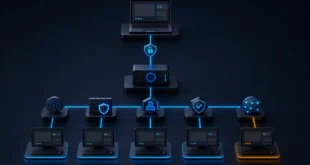
A practical lab has four components:
- Test client: a browser and approved testing tools.
- Intercepting proxy: observes and modifies the client’s HTTP requests and responses.
- Vulnerable target: DVWA, OWASP Juice Shop, or another intentionally vulnerable training application.
- Evidence store: notes, captures, screenshots, and a report kept outside the disposable target.
Place the client and target on a host-only or otherwise isolated network. Allow temporary outbound access only when installing verified packages, then close it. A proxy can see sensitive test traffic, so keep its listener restricted and install its certificate only in the lab browser profile.
Learn the Request–Response Cycle
An intercepting proxy is not automatically an “attack.” It is a controlled observation point. Configure the browser to use the proxy, request a lab page, and identify:
- method, path, query string, and HTTP version;
- cookies and authentication headers;
- request body and content type;
- status code, redirects, and cache headers;
- where user input returns in the response.
Change one parameter at a time and replay the request. This creates evidence for how the application validates input, maintains state, and authorises actions.
A malicious proxy in a real network can read or alter traffic it can decrypt or terminate. HTTPS protects the client-to-server channel only when certificate validation succeeds and the endpoints remain trusted. Installing an untrusted certificate defeats that assurance, which is why the lab proxy certificate must never be deployed casually to production devices.
Content Discovery Is Not Limited to the Root
Hidden or unlinked content can exist at any path: backup directories, version-control remnants, administrative panels, API routes, old releases, upload locations, or files referenced only by JavaScript. Discovery therefore combines passive and active methods:
- review HTML, JavaScript, robots directives, sitemaps, and documented routes;
- inspect normal proxy history before sending additional requests;
- use a small, relevant wordlist and a conservative request rate;
- recurse only into paths that exist and remain inside scope;
- distinguish access denied, redirects, soft 404 responses, and true content.
High request volume can exhaust a small application or pollute logs. Rate limits and stop conditions belong in the test plan.
Reflected XSS Is a Browser Execution Problem
OWASP’s current reflected XSS test defines reflected XSS as browser-executable input returned within a single HTTP response. The payload is not stored by the application; it reaches a victim through a crafted request and executes when the response places it into an unsafe browser context.
Simply seeing test characters in HTML is not proof of exploitability. Record the output context:
- HTML text or attribute;
- JavaScript string or executable block;
- URL, style, or DOM assignment;
- encoding applied by the application;
- Content Security Policy restrictions.
Use harmless proof markers in the lab. The goal is to demonstrate controlled execution and the vulnerable data flow, not to steal a cookie or contact an external server.
Remediation depends on context-aware output encoding, safe DOM APIs, validated input where appropriate, and defence-in-depth such as a carefully designed Content Security Policy. HttpOnly can reduce access to a cookie from JavaScript, but it does not fix XSS or prevent all consequences.
Separate Similar Vulnerabilities
Good test questions often hinge on precise distinctions:
- Reflected XSS: input returns immediately and executes in the browser.
- Stored XSS: the application persists the payload and later serves it to users.
- DOM XSS: client-side code moves attacker-controlled data into an unsafe sink.
- CSRF: a victim’s browser is induced to send an unwanted authenticated action.
- SQL injection: untrusted data changes the structure of a database query.
One control rarely solves all five. A WAF can reduce some known patterns but cannot replace safe application design, correct authorisation, parameterised queries, CSRF defences, and output encoding.
Report Evidence, Not Scanner Labels
For every confirmed finding, include the authorised target, request, relevant response excerpt, reproduction conditions, impact, root cause, and remediation. Remove session tokens and personal data from the report. Mark scanner-only observations as unverified until reproduced.
After the exercise, export evidence, destroy or revert the vulnerable VM, remove the lab certificate, close listeners, and verify that no deliberately weak service remains reachable.
A safe lab turns theory into repeatable evidence. It also teaches the most important penetration-testing habit: scope and containment are part of the technical work, not paperwork added after exploitation.