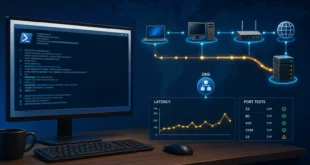
Consider a typical small on-premises deployment: an accounting application and SQL Server run in one Windows Server 2022 virtual machine on VMware ESXi. Twenty desktop computers use the application, the database is approximately 6 GB, and the host is an HPE ProLiant DL380 Gen9.
The database size is not the difficult part. Licensing depends on the host’s physical processors and cores, the number of people or devices that access the services, the SQL Server licensing model, whether users connect through Remote Desktop Services, and whether licenses include Software Assurance or subscription rights.
Exact prices should come from a Microsoft licensing partner. Prices, agreement types, taxes, and channel restrictions change; a fixed euro total copied from an old estimate is not a reliable bill of materials.
The Short Answer
For one accounting VM and a known population of 20 users or devices, the first configuration to price is usually:
- Windows Server Standard core licenses covering the applicable physical host cores, or Windows Server licenses assigned by VM if the agreement includes the required subscription or active Software Assurance rights.
- Twenty Windows Server User CALs or Device CALs.
- One SQL Server Standard Server license for the SQL VM.
- Twenty SQL Server User CALs or Device CALs.
- RDS CALs only if people open interactive Remote Desktop sessions on the server.
This is a licensing shortlist, not a purchase order. “Twenty clients” must be translated into named users or devices, and the exact CPU configuration of the DL380 Gen9 must be inventoried before ordering Windows Server core licenses.
Windows Server Licensing on VMware ESXi
Running VMware instead of Hyper-V does not remove the Windows Server licensing requirement. Microsoft’s current Windows Server virtualization licensing guidance explicitly covers VMware ESX/ESXi and describes two licensing paths.
Option 1: License the Physical Cores
Under physical-core licensing, every physical core in the server must be covered, subject to a minimum of eight core licenses per physical processor and 16 per server. A fully licensed Windows Server Standard host grants rights for up to two Windows Server virtual machines. The ESXi hypervisor itself does not consume one of those Windows Server virtual-machine rights.
This creates an important trap on a dual-socket DL380 Gen9. A 16-core base license does not automatically cover the host. If the server contains two 12-core processors, for example, 24 physical cores must be licensed even when the accounting VM receives only four or eight vCPUs. Inventory the installed CPU models and enabled cores before requesting a quote.
For Windows Server Standard, another complete set of physical-core licenses is required for each additional pair of Windows Server VMs on the same host. Datacenter edition provides unlimited Windows Server VMs on a fully licensed host, but it is normally considered when VM density is high rather than for a single guest.
Option 2: License the Individual VM
Microsoft also permits Windows Server licensing by virtual machine when the licenses are subscriptions or have active Software Assurance. In that model, all virtual cores assigned to the VM must be licensed, with a minimum of eight core licenses per VM and 16 per customer.
For a single Windows VM on a many-core ESXi host, this can reduce the licensed core count. It changes the commercial model, however, and the active subscription or Software Assurance condition matters. Confirm the exact agreement and mobility rights with the licensing partner before using this design, especially if vMotion can move the VM to another host.
Windows Server CALs: User or Device
Core licenses authorize the server software. They do not replace Windows Server Client Access Licenses.
Choose the CAL type according to how the accounting application is used:
- User CAL: one licensed person may access Windows Server from multiple devices. This suits staff who use a workstation, laptop, and possibly a remote device.
- Device CAL: one licensed computer may be used by multiple people. This suits shared terminals, shifts, or a fixed set of office PCs.
Licensing is not based on the number of simultaneous connections. If 30 employees may use the application but only 20 connect at the same time, concurrency does not reduce the population to 20 CALs. Count the users or devices that are authorized to access the server.
Do You Also Need RDS CALs?
Only if users establish interactive Remote Desktop sessions to run the accounting application on the server. Normal client/server database traffic from an application installed on each workstation does not by itself create an RDS requirement.
If users sign in to a Remote Desktop Session Host, each user or device generally needs both a Windows Server CAL and the corresponding RDS CAL. Confirm that architecture with the accounting-software vendor before buying licenses.
SQL Server Standard: Server + CAL or Per Core
Microsoft offers SQL Server Standard through Server + CAL and per-core licensing models. The official SQL Server licensing resources state that Server + CAL requires a server license plus a CAL for every user or device that accesses SQL Server.
Server + CAL
For one SQL Server Standard VM:
- Assign one SQL Server Standard Server license to the VM.
- License every user or device that accesses SQL Server, directly or indirectly, with a SQL Server CAL.
An application server, middleware service, or shared service account does not collapse many human users into one SQL CAL. Multiplexing does not reduce the underlying user or device count. For a stable, known population of 20 users or 20 devices, Server + CAL is the model to price first.
Per Core
Per-core licensing removes the need for SQL CALs. When SQL Server 2022 is licensed by individual VM under eligible subscription licenses or licenses with active Software Assurance, every virtual core allocated to the SQL VM must be licensed, subject to a minimum of four core licenses per VM. Microsoft describes these rights in the SQL Server 2022 licensing datasheet.
Per-core licensing deserves a quote when:
- The number of users or devices is large or difficult to count.
- External users access the application.
- Workloads are exposed through web services or other multiplexed layers.
- The environment is expected to grow significantly.
- The agreement already includes the virtualization and mobility benefits required by the design.
Do not choose a model solely because the database is 6 GB. Database size does not determine the SQL license model.
Perpetual Licenses, Subscriptions, and Software Assurance
The phrase “lifetime license” is misleading. A perpetual license normally grants indefinite rights to use the acquired product version under its license terms. It does not mean every future Windows Server or SQL Server version is included forever, and it does not guarantee perpetual support.
There are three commercial elements to separate:
- Perpetual license: purchased once for a specific product/version and governed by its agreement.
- Subscription: paid for a defined period; use rights depend on maintaining the subscription.
- Software Assurance: an additional term-based benefit that may provide new-version rights, support benefits, license mobility, and virtualization options.
Software Assurance is not merely an optional support package in every virtualized design. Microsoft requires active Software Assurance or subscription licenses for the individual-VM Windows Server licensing option, and specific SQL Server VM and mobility rights also depend on license type and coverage. The Product Terms and the customer’s agreement take precedence over a general guide.
What to Buy: A Quote Checklist
Give the reseller a concrete deployment description rather than asking for “Windows and SQL for 20 PCs.”
| Item to confirm | Required information |
|---|---|
| ESXi host | Number of sockets, exact CPU models, enabled physical cores, and whether there are additional vMotion hosts |
| Windows VM | Windows Server 2022 Standard, assigned vCPUs, and number of Windows Server VMs on the host |
| Windows access | Number of named users versus shared devices |
| SQL VM | SQL Server Standard, assigned vCPUs, and whether Server + CAL or per-core is proposed |
| SQL access | Every user/device accessing directly or indirectly, not just concurrent sessions |
| Remote desktop | Whether users run the application through RDS sessions |
| Mobility | Whether the VM may move between physical ESXi hosts |
| License term | Perpetual, subscription, and Software Assurance requirements shown separately |
Request two itemized quotes:
- Physical-core Windows Server Standard plus Windows CALs, with SQL Server Standard Server + CAL.
- Eligible per-VM or subscription licensing for the Windows and SQL VMs, including all required coverage.
The comparison should show product SKU, quantity, license term, Software Assurance, downgrade/upgrade rights, mobility rights, and the agreement type. A total price without those details is not auditable.
Practical VM Sizing for the Accounting Workload
A 6 GB database and 20 client computers do not justify assigning 16 vCPUs automatically. SQL Server performance depends on query quality, transaction volume, indexes, reporting, storage latency, and the accounting application’s architecture.
A sensible starting point for a dedicated combined application/SQL VM is:
| Resource | Initial allocation | Scale when evidence shows |
|---|---|---|
| vCPU | 4 vCPU | Increase toward 6–8 if sustained CPU pressure and runnable-queue evidence justify it |
| Memory | 16 GB | Increase to 24–32 GB if SQL cache demand, reporting, or application processes require it |
| OS volume | 120–150 GB | Increase for patching, logs, and application growth |
| SQL data volume | 100–200 GB on resilient SSD storage | Increase for database, index, and growth projections |
| SQL log volume | Separate virtual disk where the storage design provides independent value | Size from transaction and backup behavior |
| Backup target | Separate storage and separate failure domain | Retain tested application-aware and SQL backups |
| Network | 1 GbE is generally sufficient for 20 application clients | Use faster links for host storage, backup, or consolidation needs |
Start with the accounting vendor’s certified requirements. Configure SQL Server’s maximum memory so Windows and the accounting service retain adequate RAM. Monitor CPU ready time, storage latency, memory pressure, SQL waits, and backup duration before adding resources.
Using an HPE DL380 Gen9 Safely
The DL380 Gen9 platform can support substantial CPU, memory, and storage configurations. HPE’s current archived DL380 Gen9 QuickSpecs list E5-2600 v3/v4 processor options, 24 DIMM slots, and multiple storage configurations.
For this workload, focus on condition and supportability rather than maximum specifications:
- Record the exact CPU count because it directly affects physical-core licensing.
- Use enterprise SSDs supported by the controller and backplane.
- Use RAID protection appropriate to the workload; RAID is not a backup.
- Verify controller cache protection, drive health, firmware, fans, power supplies, and iLO alerts.
- Keep database backups on storage that is not dependent on the same RAID set or ESXi host.
- Test a full restore of the accounting database and application before production cutover.
Frequently Asked Questions
Are 20 simultaneous connections the same as 20 CALs?
Not necessarily. CAL licensing normally counts authorized users or devices, not the maximum number connected at one moment. Determine the full user/device population.
Is a 16-core Windows Server license enough for the DL380 Gen9?
Only if the applicable licensing method and the server’s installed physical-core count are covered by 16 licenses. A dual-socket host may have far more than 16 physical cores. Inventory the CPUs first.
Can SQL Server Express be used because the database is only 6 GB?
Database size alone is not enough to decide. The accounting vendor may require SQL Server Standard, and Express has feature and resource limits. Use only an edition explicitly supported by the application vendor and validated under the real workload.
Are the licenses paid once or every year?
Perpetual licenses are purchased once for the acquired rights. Subscriptions and Software Assurance are term-based. Some virtualization and mobility options require active subscription or Software Assurance, so the annual component depends on the architecture and agreement.
Conclusion
For a single accounting VM and a controlled 20-user environment, Windows Server Standard plus Windows CALs and SQL Server Standard Server + CAL is the first design to price. The final quantities depend on the DL380 Gen9’s physical cores, the real number of users or devices, whether RDS is used, and whether the VM can move to another host.
Do not buy from an approximate total. Build an itemized licensing worksheet, obtain a written quote tied to the exact ESXi topology, and keep that documentation with the server inventory.