Understand MAC flapping, ARP confusion, and intermittent traffic when two devices share a MAC address, even with different static IPs, and fix it safely.
Read More »What Happens When Two Devices Use the Same MAC Address?
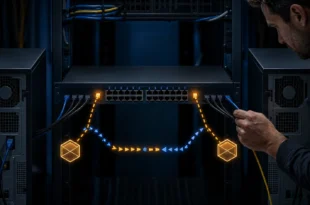
Understand MAC flapping, ARP confusion, and intermittent traffic when two devices share a MAC address, even with different static IPs, and fix it safely.
Read More »
Build a legal, isolated web security lab for DVWA, proxy testing, content discovery, and reflected XSS while producing evidence instead of memorized answers.
Read More »
Learn what can recover photos from a broken Android phone, why a forgotten PIN blocks local data, and which repair, backup, and account-recovery paths are safe.
Read More »
Configure Copilot in VS Code for Ask, Plan, and Agent workflows, choose models by task, control tools and permissions, and avoid costly or unsafe defaults.
Read More »
Clone a PC disk to a USB SSD with Clonezilla, choose the correct source and target, verify the copy, and restore it without overwriting the wrong drive.
Read More »
Safely diagnose and remove stale vSphere Replication hbr_filter entries that can prevent a cloned VMware virtual machine from powering on.
Read More »
Diagnose WP Toolkit administrator-login failures involving WP_User_Query and stdClass without editing WordPress core or deleting database rows blindly.
Read More »
Learn how stolen Klue OAuth tokens enabled access to LastPass Salesforce data, what was and was not affected, and how to reduce SaaS integration risk.
Read More »
Understand cPanel's email tools and diagnose outbound mail using hostname, HELO, A, PTR, SPF, DKIM, DMARC, Exim logs, and controlled external tests.
Read More »
Learn where a shared Windows EXE runs, how to set priority safely on each client, and how to diagnose SMB, database, storage, and ESXi bottlenecks.
Read More »
Learn what MikroTik's IoT package adds, which x86 package CHR needs, how to install it safely, and why virtual machines cannot supply missing IoT hardware.
Read More »
Understand the Romanian NIS2 responsible person's duties, authority, reporting deadlines, training, deliverables, and relationship with management and DNSC.
Read More »