Diagnose an Oracle account that repeatedly locks by checking its profile, querying failed logons, identifying the client host, and fixing stale credentials.
Read More »Oracle Account Keeps Locking? Find the Host Using the Wrong Password

Diagnose an Oracle account that repeatedly locks by checking its profile, querying failed logons, identifying the client host, and fixing stale credentials.
Read More »
Use PowerShell and Task Scheduler to show a topmost Yes/No popup in the signed-in user's Windows session and return the response to WAC.
Read More »
Test a WireGuard VPN correctly by separating reachability, TCP connection time, throughput, jitter, concurrency, and real application response.
Read More »
Understand Romania's ANC competence assessment process and build evidence for skills gained through work, including long-term self-employment.
Read More »
Check Samsung Galaxy A5 2015 battery compatibility by model and battery code, and avoid unsafe substitutions based only on voltage or capacity.
Read More »
Calculate Claude Code API cost correctly from input, output, cache-write, and cache-read tokens, then convert USD to EUR without confusing time or token totals.
Read More »
Compare the HPE DL380 Gen9 with Dell R730, Lenovo x3650 M5, Cisco C240 M4, Fujitsu RX2540, and Supermicro alternatives for a used-server purchase.
Read More »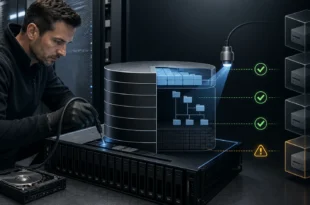
Learn what the vSphere On-disk Metadata Analyzer checks, when to use it, why the datastore must be quiescent, and when VOMA repair is too risky.
Read More »
Compare WordPress core galleries, NextGEN, FooGallery, Envira, and Modula by workflow, image handling, performance, accessibility, lock-in, and migration risk.
Read More »
Understand what APSAP says its cybersecurity auditor course certificate proves, how it differs from DNSC attestation, and what to verify before enrollment.
Read More »
Yes, fstrim.timer works with XFS. Learn how periodic discard reaches SSDs or thin storage, how to test it safely, and why a successful timer may trim nothing.
Read More »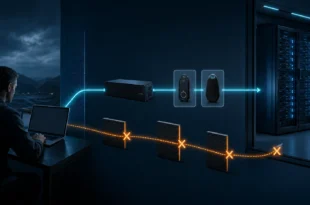
Secure Windows Server 2025 RDP with RD Gateway or VPN, MFA, NLA, firewall allowlists, patching, least privilege, logging, and a safe port-change plan.
Read More »