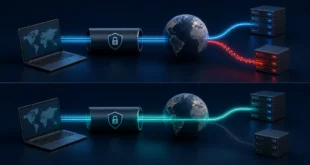
A MikroTik router can provide fast WireGuard remote access without exposing management services directly to the internet. A reliable design uses a dedicated tunnel subnet, one peer per device, narrow firewall rules, and an explicit decision about whether clients may access only the router, selected LAN hosts, or the entire internet.
The examples below use RouterOS 7 and documentation addresses. Replace interfaces, subnets, DNS names, and keys for your network. Keep an existing administrative session open while changing firewall rules and use Safe Mode so an error does not lock you out.
Plan the Addressing and Access Policy
Choose a tunnel subnet that does not overlap common home, office, or guest networks. This example uses 10.77.40.0/24, with the router at 10.77.40.1 and the first client at 10.77.40.10. Avoid automatically using 192.168.0.0/24 or 192.168.1.0/24, because a remote client may already be on that range.
Write down the minimum access required. A support laptop might need one server and DNS, while a personal device may need the full home LAN. The WireGuard peer address controls routing; the firewall must still enforce authorization.
Create the WireGuard Interface
/interface/wireguard
add name=wg-remote listen-port=51820 mtu=1420

/ip/address
add address=10.77.40.1/24 interface=wg-remote
RouterOS generates the interface key pair. Display the public key for the client configuration, but never export or share the private key. Use a UDP port permitted by the upstream firewall. Changing the default port reduces random noise but is not an authentication control.
If the MikroTik sits behind another router, forward the selected UDP port to it. Prefer a stable public address or dynamic DNS name. Carrier-grade NAT may prevent inbound connections; in that case, use a server with a reachable address or an outbound overlay design.
Add a Separate Peer for Each Device
/interface/wireguard/peers
add interface=wg-remote public-key="CLIENT_PUBLIC_KEY" \
    allowed-address=10.77.40.10/32 comment="admin-laptop"
Assign a unique /32 to every IPv4 client. Never put the same address or public key on two peers. The comment should identify the device or owner without containing secrets. When a device is lost, disable or remove only that peer.
A Windows client that needs LAN access might use:
[Interface]
PrivateKey = CLIENT_PRIVATE_KEY
Address = 10.77.40.10/32
DNS = 192.168.50.1

[Peer]
PublicKey = MIKROTIK_PUBLIC_KEY
Endpoint = vpn.example.net:51820
AllowedIPs = 10.77.40.0/24, 192.168.50.0/24
PersistentKeepalive = 25
Build the Firewall Rules
Allow the WireGuard listener in the input chain before the final drop rule. Limit source networks if remote clients have predictable addresses, but do not create a rule that will break mobile users.
/ip/firewall/filter
add chain=input action=accept protocol=udp dst-port=51820 \
    in-interface-list=WAN comment="Allow WireGuard"
add chain=input action=accept in-interface=wg-remote \
    src-address=10.77.40.0/24 protocol=udp dst-port=53 comment="WG DNS"
Do not add a blanket input accept for the tunnel subnet. Router management should be limited to named administrators and preferably specific tunnel addresses. In the forward chain, allow only required LAN destinations and services, followed by an explicit drop for other WireGuard-to-LAN traffic.
/ip/firewall/filter
add chain=forward action=accept in-interface=wg-remote \
    src-address=10.77.40.10 dst-address=192.168.50.20 protocol=tcp dst-port=443 \
    comment="Admin laptop to server HTTPS"
add chain=forward action=drop in-interface=wg-remote dst-address=192.168.50.0/24 \
    comment="Block other WG to LAN"
Routing, DNS, and Internet Access
Connected routes for the tunnel subnet appear automatically. LAN hosts need a return path to 10.77.40.0/24; when the MikroTik is their default gateway, this usually works. If another router owns the LAN, add a static return route there or use narrowly scoped source NAT as a last resort.
For a full-tunnel client, include 0.0.0.0/0 in the client AllowedIPs, permit forwarding from the WireGuard interface to WAN, and apply source NAT using the existing WAN policy. Check DNS through the tunnel with the method in our DNS leak guide.
Test From an External Network
- Export the RouterOS configuration and keep a local management path.
- Connect the client through mobile data or another external network.
- Confirm a recent handshake and increasing receive and transmit counters.
- Ping the tunnel address if ICMP is allowed, then test the exact required TCP or UDP service.
- Verify that an unauthorized LAN address is blocked.
- Disconnect, reconnect, and test after the client changes networks.
A handshake with no traffic normally indicates incorrect allowed addresses, missing forward permission, or a missing return route. No handshake points to endpoint resolution, port forwarding, firewall input, clock, or key problems.
Maintenance and Recovery
Back up the RouterOS configuration before upgrades, keep RouterOS current, and review peers regularly. Disable accounts and services that are not required on the router. Log denied WireGuard forwarding selectively during troubleshooting, but avoid permanent high-volume logging.
For a Windows peer, follow the validation steps in our Windows 11 WireGuard setup. If a change interrupts access, use the preserved local session or Safe Mode rollback rather than opening broad firewall rules.
Frequently Asked Questions
Does WireGuard need a masquerade rule?
Only for traffic that must be source-NATed, such as internet access through the WAN or a LAN without a return route. Routed access is clearer when the rest of the network has a route back to the tunnel subnet.
Why does the peer show a handshake but cannot reach the LAN?
Check client AllowedIPs, MikroTik forward rules, the LAN host firewall, and the return route to the tunnel subnet. The handshake tests only the WireGuard peers.
Can multiple devices share one configuration?
No. Give every device a unique key and tunnel address so routing, revocation, and logs remain reliable.
Final Checklist
The secure baseline is a dedicated non-overlapping subnet, unique peers, WAN input limited to the WireGuard UDP listener, narrow forward permissions, working return routes, intentional DNS, and an external test that proves both allowed and denied access. Document the design before expanding it.