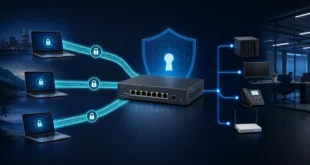
Two RouterOS sites were connected with WireGuard. From the first router, both the peer’s tunnel address and the second router’s LAN address replied. A workstation in the remote LAN did not.
That test sequence is highly informative:
peer tunnel IP replies       → WireGuard handshake and tunnel path work
remote router LAN IP replies → route reaches the second router
remote PC does not reply     → investigate forwarding, host firewall and return path
Rebuilding the tunnel at this point is usually wasted effort. The failure is beyond the remote router or on the return journey.
A clean site-to-site model
Use distinct subnets. For example:
Site A LAN:       192.168.10.0/24
Site B LAN:       192.168.111.0/24
WireGuard transit: 10.255.255.0/30
Each router needs:
- a WireGuard interface and unique private key;
- a transit IP on that interface;
- a peer containing the other router’s public key;
- the remote transit IP and remote LAN in the peer’s allowed addresses;
- a route to the remote LAN through the WireGuard interface;
- an input rule for the WireGuard UDP listener before the WAN drop;
- forward rules permitting only the intended LAN-to-LAN traffic.
MikroTik’s current RouterOS WireGuard documentation provides an official two-office example with transit addresses, explicit routes, input rules and bidirectional forward rules.
Protect an existing multi-peer configuration
One router in the incident already served other WireGuard clients. That changes the editing strategy.
Do not replace the interface, regenerate its private key or broaden an existing peer to include the new remote LAN. Add one new peer and verify that its allowed addresses do not overlap any existing peer on the same interface. RouterOS requires allowed-address ranges on one WireGuard interface to be non-overlapping.
Before editing, export a redacted configuration and record:
/interface/wireguard/print detail
/interface/wireguard/peers/print detail
/ip/address/print where interface=<WG_INTERFACE>
/ip/route/print where dst-address=<REMOTE_LAN>
/ip/firewall/filter/print
/ip/firewall/nat/print
Never publish private keys. Public keys can identify peers and should also be redacted from a public case study.
Allowed addresses and routes have separate jobs
RouterOS describes allowed-address as both the source ranges accepted from a peer and destinations directed to that peer. A peer for Site B commonly includes the specific remote tunnel address plus 192.168.111.0/24.
The router also needs IP routing information. Following MikroTik’s official example, add an explicit route to the remote LAN through the WireGuard interface when it is not already present.
Do not set 0.0.0.0/0 for a site-to-site peer whose only purpose is the remote LAN. A catch-all can divert internet traffic and overlaps more-specific client designs.
Input and forward are different firewall chains
The UDP packet that establishes WireGuard is traffic to the router, so it is evaluated in input. Routed packets travelling from one LAN to the other use forward.
A minimal policy therefore needs separate decisions:
/ip/firewall/filter
add chain=input action=accept protocol=udp dst-port=<WG_PORT> \
    src-address=<REMOTE_PUBLIC_IP> comment="WireGuard from remote site"

add chain=forward action=accept src-address=192.168.10.0/24 \
    dst-address=192.168.111.0/24 comment="Site A to Site B"

add chain=forward action=accept src-address=192.168.111.0/24 \
    dst-address=192.168.10.0/24 comment="Site B to Site A"
Place accepts before the relevant drops. If the remote endpoint address can change, use an architecture that accommodates that fact rather than permanently accepting the UDP port from the entire internet without monitoring.
The exact rules depend on existing interface lists and policy. Do not add the WireGuard interface to a trusted LAN list until you understand every permission inherited from that list.
Read the three successful pings correctly
Run tests in order from a router:
- peer transit IP;
- remote router’s LAN IP;
- remote workstation;
- a specific TCP service on that workstation.
If test 1 fails, inspect last handshake, endpoint, input rule, keys and allowed addresses. If test 1 works but test 2 fails, inspect routes and forward policy. If tests 1 and 2 work but test 3 fails, the tunnel itself is no longer the leading suspect.
Check peer counters and handshake time while sending traffic. A current handshake with increasing transmit and receive counters proves more than a static “running” flag.
The usual cause: no return route from the workstation
The remote workstation had an address in 192.168.111.0/24, but that address was secondary and its default gateway was not the WireGuard router. The packet could arrive through Site B’s router, yet the workstation sent its reply to another gateway. That gateway had no route back to 192.168.10.0/24.
An IP address says that a destination is locally attached. It does not teach the host how to reach every remote network. For a destination outside its local prefixes, the host follows the most specific route in its routing table, usually the default gateway.
Verify on the workstation:
ipconfig /all
route print
Then choose one correct design:
Make the WireGuard router the default gateway
This is simplest when Site B’s router is intended to route that LAN. Confirm DHCP and static hosts use its LAN address as their gateway.
Add a route to the existing gateway
If another router must remain the default gateway, add a route there:
192.168.10.0/24 via the Site B WireGuard router's LAN address
This preserves real source addresses and fixes every host using that gateway.
Add host routes only for a controlled exception
A route on each workstation can work, but it does not scale and is easy to lose during reinstallation. Use endpoint management if this is unavoidable.
Host firewall can look identical
Once return routing is correct, test the workstation firewall. Windows can allow local-subnet ICMP while rejecting traffic from a different private subnet. Test an application port the host is meant to expose and inspect its firewall rule scope.
Do not disable the firewall to make the tunnel “work.” Create a narrow inbound rule for the source LAN and required protocol or service. ICMP is a diagnostic tool, not the business requirement.
SNAT is a workaround, not the routed design
A narrow source NAT rule on Site B can make remote PCs see the traffic as originating from their local router. Replies then return correctly even when their real gateway lacks the route.
This can be useful during a controlled transition, but it hides the original client address, weakens per-source logging and complicates access control. Prefer correcting the gateway or adding the route. If temporary SNAT is used, restrict it to the two LAN prefixes, document it and remove it after routing is repaired.
Avoid broad masquerade rules on the WireGuard interface. A routed site-to-site VPN should normally preserve the original LAN addresses.
Final verification
Test both directions from real hosts, not only from routers:
- Site A PC to Site B PC and required service;
- Site B PC to Site A PC and required service;
- DNS and name resolution if applications use names;
- source address observed in host and firewall logs;
- no unintended internet path through WireGuard;
- existing WireGuard clients still reach only their assigned ranges.
When the peer and remote gateway reply but a workstation does not, the tunnel has already given you the answer: follow the packet beyond the router, then follow its reply. In most cases, the missing fact is not another WireGuard checkbox—it is the workstation’s return route.