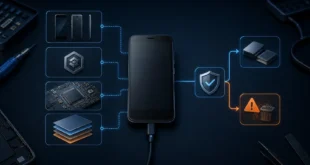
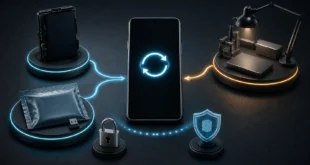
A caller ID app can sometimes display a name for a number that is not saved on your phone. The tempting explanation is that a friend saved that person under a name and the app copied the friend’s address book into a shared directory. That model has existed in parts of the caller-identification market, but it is not a safe assumption about every service—or even every regional version of the same service.
Modern caller identification can combine carrier data, verified business profiles, public records, user-submitted labels, spam reports, the caller’s own profile, and a provider-specific number database. The result is a hint, not proof of identity.
The name is usually not sent by the phone number itself
Traditional caller ID reliably carries the calling number when the network permits it. A human-readable name may come from another lookup performed by the carrier, the operating system, or an installed app.
Apple’s current iPhone call-identification guide lists several possible sources: Apple Business Connect, a supported carrier, and supported call-identification apps. Android devices using Phone by Google can look up callers or businesses outside the local contacts and apply spam warnings through Google’s service.
Third-party apps maintain their own databases and reputation systems. They may associate a number with:
- a verified account or business profile;
- public or commercially supplied directory information;
- feedback submitted by users;
- repeated spam or fraud reports;
- locally available contact information;
- data processed under region- and feature-specific terms.
The app that identifies the number is therefore important. Two phones can display different names for the same caller because they query different sources or cached versions of the data.
“Someone has this number in their contacts” is not a universal rule
Contact permissions require careful reading. Google’s current caller ID and spam documentation says that a number outside the user’s contacts can be sent to Google for business identification or spam assessment, while Google does not obtain phone numbers from the user’s contact list for this feature.
Truecaller’s current EU privacy policy says that contact access used for caller ID is performed on the device and that locally stored contact information is not uploaded to its servers for that purpose. The same company has different terms for certain regions, distribution methods, and optional functionality. Its EU privacy policy and global privacy policy illustrate why a product name alone does not answer the privacy question.
Review the policy that applies to your country, app-store distribution, account type, and enabled features. Optional contact backup or enhanced search can process data differently from basic caller identification.
Why a displayed name can be wrong
A database label can be inaccurate even when the app works as designed:
- phone numbers are reassigned to new subscribers;
- a user may have submitted a nickname, typo, or malicious label;
- a business number may be shared by several departments;
- a caller can spoof the number presented to the recipient;
- data may be stale after a person or company changes numbers;
- a carrier, operating-system service, and third-party app may disagree.
Number spoofing is especially important. The name shown on screen describes the number or profile that a lookup associated with the call; it does not cryptographically prove who is speaking. Do not reveal credentials, one-time codes, payment information, or remote-access control because a familiar name appeared.
Call back through a trusted number from an official statement, account portal, bank card, or company website when the request is sensitive.
Caller identification and spam blocking are separate decisions
An app may identify a business without classifying it as spam, or classify an unknown number as suspected spam without knowing the caller’s name. Keep the two outputs separate:
- identity label: a proposed name or category associated with the number;
- reputation label: an assessment based on reports or provider signals;
- device action: ring, screen, silence, send to voicemail, or block.
Aggressive automatic blocking can hide legitimate calls from delivery drivers, medical providers, schools, banks, or people using a new number. Prefer screening or silencing with a reviewable call log before permanent blocking when missed calls carry real consequences.
Current iPhone software can use supported identification apps and can also screen or silence unknown callers. Phone by Google offers caller ID, spam labels, and optional spam-call filtering. Feature availability varies by device, operating-system release, carrier, language, and region, so verify the controls on the actual phone rather than relying on a generic setup video.
Permissions to review before installation
A caller ID app may request access that reaches well beyond showing a name. Depending on its functions and platform, it may ask for:
- phone and call-log access;
- contacts;
- SMS or notification access;
- default dialer or default call-screening status;
- microphone access for recording or an assistant feature;
- overlay or accessibility privileges;
- location, device identifiers, and advertising data.
Do not grant every permission automatically. Start with the minimum required for the feature you intend to use. If the app requests contacts, determine whether they remain on the device, are backed up, or become searchable. Check whether call metadata is retained, used for advertising, or shared with processors.
Also review how to correct or remove a wrong listing. Truecaller provides an unlisting mechanism in its privacy policy, while other providers have their own correction procedures. Removing an account and revoking permissions are not always the same as removing a number from a lookup database.
A practical selection checklist
Before choosing a caller ID app, answer these questions:
- Does the phone’s built-in caller ID and spam protection already meet the need?
- Which countries and number ranges does the provider cover well?
- Is identification available on the device and operating-system version in use?
- Which data source produced a displayed name: carrier, verified business, user report, or private database?
- Are contacts read locally, uploaded, backed up, or used for optional search?
- Which call, message, device, and advertising data does the current privacy policy permit?
- Can the user review filtered calls and reverse a false positive?
- Is there a documented process to correct or unlist a number?
- Does the paid plan remove ads only, or materially change data processing?
Test the app with several known business and personal numbers, including a recently reassigned or secondary number if available. Record false names and false spam labels. A large database is useful only when it is accurate for the calls you actually receive.
Treat the result as context, not authentication
Caller ID apps reduce uncertainty and can make high-volume spam easier to manage. They do not establish legal identity, ownership of a number, or the legitimacy of a request.
The safest setup combines a reputable identification source, conservative screening rules, minimal permissions, and independent verification for sensitive calls. The key privacy question is not simply whether friends have the app installed. It is what the specific provider processes, under which regional policy, for the exact features enabled on your phone.