
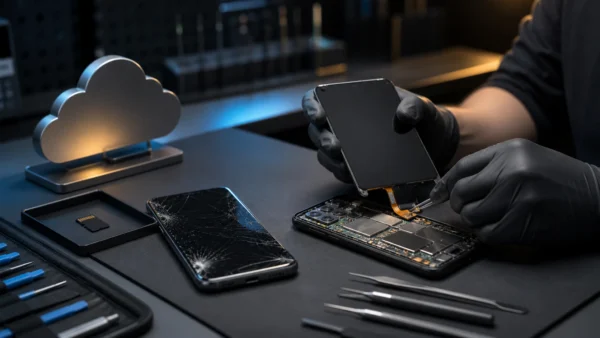
A broken screen and a forgotten PIN are two different recovery problems. If the phone still works and the owner knows the unlock code, a temporary display repair, supported external display, or carefully connected input device may allow a normal backup. If the PIN or password is unknown, modern Android encryption normally prevents software from reading local photos—even when the storage chip itself is healthy.
The safest order is cloud backup, account recovery, non-destructive screen repair, authorised device access, and only then a specialist assessment. Do not factory-reset the phone while local data is still the goal.
Check Whether the Photos Already Exist Elsewhere
From a trusted computer, check every account that may have been used on the phone:
- Google Photos and Google Drive;
- the manufacturer’s cloud service;
- Microsoft OneDrive, Dropbox, or another configured photo app;
- a paired PC’s import folder;
- messaging-app media or shared albums;
- a removable microSD card, if the phone used one as portable storage.
Google’s Android backup documentation distinguishes device backup from Google Photos. Photos uploaded to Google Photos can already be available online, while some other backup data may depend on the device’s screen-lock credential during restore.
If the Google credentials are forgotten, use Google’s official account-recovery process from a familiar device and location. Avoid paid “recovery” services that request a password, verification code, or remote control of the account.
Broken Screen, Known PIN
Preserve the phone’s power and state. Do not repeatedly restart it: after a reboot Android usually requires the PIN or password before biometric unlock works and before encrypted user data becomes available.
The most reliable method is often a temporary replacement display fitted by a repair centre with explicit instructions not to reset, update, or replace the motherboard. A motherboard swap returns a working phone but leaves the encrypted data on the original board.
Depending on the exact model, other options may include:
- USB-C video output to a monitor;
- an OTG adapter with a mouse or keyboard;
- a manufacturer desktop mode;
- touch input while part of the display remains visible.
These are device features, not universal Android capabilities. Confirm video-output and OTG support for the exact model before buying adapters.
After unlocking, copy the DCIM, Pictures, Downloads, and application media folders through the supported USB file-transfer interface and start a cloud backup. Verify several files before authorising further repair.
Why a USB Cable Often Shows Nothing
A locked Android phone normally does not expose its private shared storage to a newly connected computer. The user must unlock the phone and may need to select File Transfer. This prevents a thief from copying data with a cable.
Android Debug Bridge is not a bypass. USB debugging must generally have been enabled before the damage, and that exact computer must already have been authorised while the device was unlocked. Enabling debugging or approving a new computer requires access to the phone.
Commercial desktop “Android recovery” programs cannot change this encryption boundary. They may recover deleted files from older devices, read an accessible SD card, or guide supported backups, but a product page does not prove it can decrypt a current locked phone.
Broken Screen, Forgotten PIN
Google’s current locked-device guidance states that an Android device that cannot be unlocked must be erased before it can be set up with a new screen lock. Erasure destroys local data that was not backed up.
Do not confuse these objectives:
- Recover local photos: preserve the original motherboard and avoid reset.
- Make the phone usable again: factory reset may work, but local data is erased.
- Restore cloud data: recover the Google or manufacturer account and then restore what was actually backed up.
On very old Android versions, historical unlock mechanisms existed, but they should not be advertised as solutions for current encrypted phones.
What a Data-Recovery Laboratory Can Do
A reputable mobile-forensics or board-repair laboratory may repair power, charging, display, or board faults while preserving the original storage and secure hardware. It can sometimes restore the device to a state in which the owner enters the known credential.
It cannot promise that chip removal will reveal usable files. File-based encryption binds data to keys protected by the device and lock credential. A raw flash image can remain cryptographically unreadable.
Before handing over the phone, ask for a written non-destructive plan, whether the original motherboard remains in use, what happens if recovery fails, how data is stored and erased, and how ownership is verified. Do not disclose the PIN until the provider, process, and privacy terms are acceptable.
Avoid Actions That Destroy the Best Chance
Do not factory-reset, unlock the bootloader, flash firmware, run an unverified “one-click” tool, or accept a motherboard replacement. Do not keep charging a swollen or water-damaged battery. For liquid damage, disconnect power if this can be done safely and use a board specialist promptly; corrosion progresses over time.
The honest recovery answer depends on two facts: whether a backup exists and whether the owner can unlock the original secure hardware. A broken display is repairable. A forgotten credential on an encrypted modern phone is intentionally a much harder boundary.