
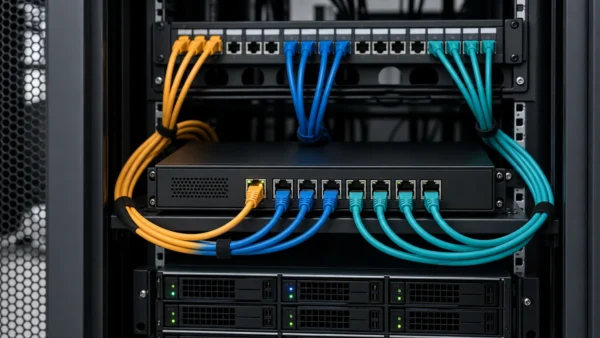
A MikroTik router can make three groups of Ethernet ports behave like separate switches: one for the ISP handoff, one for publicly addressed servers, and one for a private LAN. The public prefix is routed through the WAN address, while only the private LAN is source-NATed.
The important detail is that separate bridges provide Layer-2 separation, not an automatic Layer-3 security policy. As soon as the router has IP addresses on two bridges, it can route between them. Firewall rules must decide which routed flows are allowed.
The configuration below uses documentation-only address ranges. Replace them with the values assigned by the provider and apply the script from a local console or safe-mode session with a tested backup.
Target Topology
ISP handoff
   |
bridge-wan: ether1, ether2
   | router WAN address and default route
   |
   +---- bridge-public: ether3-ether6 ---- servers using routed /28
   |
   +---- bridge-lan: ether7-ether8 ------- private LAN with source NAT
Example addressing:
| Segment | Example |
|---|---|
| WAN address | 192.0.2.64/22 |
| ISP gateway | 192.0.2.1 |
| Routed prefix | 198.51.100.160/28 |
| Router address on public bridge | 198.51.100.161/28 |
| Server addresses | 198.51.100.162 through .174 |
| Public broadcast | 198.51.100.175 |
| Private LAN | 10.10.111.0/24 |
| LAN gateway | 10.10.111.1 |
For a /28, there are 16 addresses. The network and broadcast addresses are unavailable. If the router uses the first usable address, 13 addresses remain for hosts.
Confirm the Provider Routing Model First
The provider must route the public /28 to the router’s WAN address. It must not merely place the /28 on the ISP’s Layer-2 segment. Ask for written confirmation of:
- WAN address, prefix, and gateway;
- routed prefix and next hop;
- whether the WAN address is on-link despite unusual mask/gateway information;
- whether provider-side anti-spoofing permits the /28 as a source;
- any required VLAN tag or static ARP arrangement.
If the ISP has not installed the route, local configuration cannot make return traffic reach the router.
Create Three Separate Bridges
RouterOS 7 bridge configuration is documented in MikroTik’s current Bridging and Switching guide. Rename interfaces only if the names are still available and you have adjusted any existing configuration that references them.
/interface ethernet
set [find default-name=ether1] name=ether1-wan
set [find default-name=ether2] name=ether2-wan
set [find default-name=ether3] name=ether3-public
set [find default-name=ether4] name=ether4-public
set [find default-name=ether5] name=ether5-public
set [find default-name=ether6] name=ether6-public
set [find default-name=ether7] name=ether7-lan
set [find default-name=ether8] name=ether8-lan

/interface bridge
add name=bridge-wan comment="ISP handoff switch"
add name=bridge-public comment="Routed public server switch"
add name=bridge-lan comment="Private LAN switch"

/interface bridge port
add bridge=bridge-wan interface=ether1-wan
add bridge=bridge-wan interface=ether2-wan
add bridge=bridge-public interface=ether3-public
add bridge=bridge-public interface=ether4-public
add bridge=bridge-public interface=ether5-public
add bridge=bridge-public interface=ether6-public
add bridge=bridge-lan interface=ether7-lan
add bridge=bridge-lan interface=ether8-lan
Do not add a physical port to more than one bridge. Remove or adapt the factory bridge before reassigning its member ports.
Put Layer-3 Addresses on the Bridges
/ip address
add address=192.0.2.64/22 interface=bridge-wan comment="Static WAN"
add address=198.51.100.161/28 interface=bridge-public comment="Public /28 gateway"
add address=10.10.111.1/24 interface=bridge-lan comment="Private LAN gateway"

/ip route
add dst-address=0.0.0.0/0 gateway=192.0.2.1 comment="ISP default route"

/ip dns
set servers=1.1.1.1,8.8.8.8 allow-remote-requests=no
Assign the WAN address to bridge-wan, not to one of its member ports. Likewise, the /28 gateway belongs on bridge-public.
The public servers use an address from the routed prefix, a /28 mask, and 198.51.100.161 as their default gateway. They do not use the ISP’s WAN gateway.
NAT Only the Private LAN
For a static WAN address, a deterministic src-nat rule is clearer than masquerade:
/ip firewall nat
add chain=srcnat src-address=10.10.111.0/24 out-interface=bridge-wan action=src-nat to-addresses=192.0.2.64 comment="Private LAN to Internet"
Do not source-NAT 198.51.100.160/28. Those servers already have public addresses and need the provider to see their real source IPs. Review MikroTik’s official RouterOS NAT documentation for the distinction between static src-nat and dynamic-address-oriented masquerade.
If an older broad masquerade rule exists, restrict or disable it. NAT is first-match; a general rule can silently translate the routed prefix before a later exception is evaluated.
Add an Explicit Forwarding Policy
The following skeleton preserves established traffic, drops invalid state, allows private LAN access to the public-server segment, permits both routed groups to reach the internet, and blocks unsolicited WAN traffic unless a later rule explicitly permits it:
/ip firewall filter
add chain=forward action=accept connection-state=established,related comment="Allow established and related"
add chain=forward action=drop connection-state=invalid comment="Drop invalid"
add chain=forward action=accept src-address=10.10.111.0/24 dst-address=198.51.100.160/28 comment="LAN to public servers"
add chain=forward action=accept src-address=10.10.111.0/24 out-interface=bridge-wan comment="LAN to Internet"
add chain=forward action=accept src-address=198.51.100.160/28 out-interface=bridge-wan comment="Public subnet outbound"
add chain=forward action=accept in-interface=bridge-wan dst-address=198.51.100.160/28 comment="Inbound to public subnet"
add chain=forward action=drop comment="Default forward deny"
This is a routing baseline, not a complete server firewall. Restrict inbound ports to actual services and protect the router’s input chain separately. A server with a public address is not protected by the fact that it sits on a different bridge.
A Routed /28 Is Not Hairpin NAT
When a LAN client opens a server’s real address in 198.51.100.160/28, the router simply routes from bridge-lan to bridge-public. No destination translation occurs, so classic hairpin NAT is not required. The server replies through its /28 gateway and connection tracking permits the return flow.
Hairpin NAT applies when a client accesses a public address that a dst-nat rule translates back to a private address. MikroTik’s NAT guide demonstrates that case. Adding hairpin masquerade to a directly addressed public subnet can hide the real LAN client address and obscure the actual routing or firewall fault.
If LAN users cannot reach public servers, check these instead:
- server IP,
/28mask, and gateway; - router forward-rule counters and order;
- server firewall rules for the private source range;
- an unintended broad NAT rule;
- policy routing or VRF configuration;
- DNS resolving to the expected public address.
Test Each Direction with a Chosen Source
From RouterOS:
/ip address print detail
/ip route print detail where dst-address=0.0.0.0/0
/ip firewall nat print stats
/ip firewall filter print stats
/ping 1.1.1.1 src-address=198.51.100.161 count=5
/tool traceroute 1.1.1.1 src-address=198.51.100.161
Then test from one public server with its assigned source address, from a LAN client to the server’s public address and service port, and from an external network to an explicitly allowed service. A successful ping from the router proves less than an end-to-end test from the actual host.
Use /tool torch interface=bridge-public or the packet sniffer briefly when counters are insufficient. Confirm that requests arrive, retain the expected addresses, and receive replies. Stop captures after diagnosis because inspection features can affect fast-path behaviour and expose sensitive traffic.
The design succeeds when each bridge is a clean Layer-2 group, the router alone connects them at Layer 3, NAT applies only to private addresses, and firewall policy makes every permitted path explicit.