
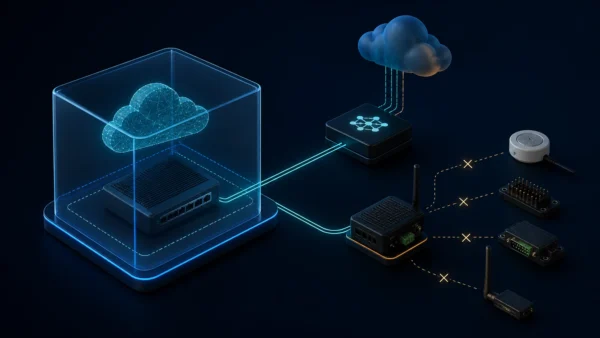
The MikroTik iot package is a feature bundle, not a universal hardware driver. It adds RouterOS functions for MQTT and for specific LoRa, Bluetooth, GPIO, and Modbus hardware. On a Cloud Hosted Router (CHR) virtual machine, MQTT is usually the practical reason to install it. The package cannot create Bluetooth radio, GPIO pins, an RS485 port, or a LoRa interface that the virtual machine does not have.
That distinction answers two common questions at once: an x86-labelled package is correct for CHR, and installing it does not turn an ESXi guest into a physical IoT gateway.
Why CHR Reports x86_64 but Uses the x86 Download
MikroTik documents CHR as its RouterOS edition for virtual machines. A CHR resource display can report architecture-name: x86_64, while the download page groups the compatible RouterOS package under x86. Those labels describe related but different things: the running 64-bit CPU architecture and the vendor’s package/download family.
The official RouterOS packages table lists routeros (x86, CHR) as the system package and explicitly lists iot for x86 and CHR. For this platform, use the iot-<version>.npk file from the x86 package set. Do not substitute an ARM64 package because “64” appears in the resource output.
Architecture is only half the compatibility check. The optional package version must match the installed RouterOS version. Mixing an iot file from a different release can cause installation failure or an inconsistent package set.
What the IoT Package Enables
MikroTik’s package documentation identifies five feature groups:
| Feature | What it requires | Value on ordinary CHR |
|---|---|---|
| MQTT | Network connectivity to a broker | Useful: publish, subscribe, and trigger scripts |
| LoRa | Supported LR miniPCIe hardware | Normally unavailable |
| Bluetooth | A supported built-in Bluetooth chip | Normally unavailable |
| GPIO | Physical GPIO pins exposed by supported hardware | Unavailable |
| Modbus | A supported RS485 port | Normally unavailable |
The RouterOS MQTT documentation confirms that the IoT package is required and that RouterOS can act as both publisher and subscriber. A broker can be external, or it can run in a supported RouterOS container environment. The IoT package itself is not an MQTT broker.
Useful CHR workloads include publishing interface state, link measurements, temperatures reported by other reachable devices, or scripted operational events to an existing broker. A subscription can receive a message and run a tightly constrained RouterOS script. That makes CHR an automation participant even when it has no sensor hardware of its own.
A Minimal MQTT Example
After installing the package, configure a broker using a management network address or DNS name:
/iot mqtt brokers add name=ops-broker address=192.0.2.25 port=1883 client-id=chr-router auto-connect=yes
Publish a controlled test message:
/iot mqtt publish broker=ops-broker topic="network/chr/status" message="online"
For production, do not copy an unencrypted lab configuration blindly. Use authentication and TLS supported by the broker and RouterOS, validate certificates, restrict broker ACLs by topic, and give the router only the rights it needs. Store secrets carefully and avoid placing them in exported configurations or public troubleshooting posts.
Subscribing is equally direct:
/iot mqtt subscribe broker=ops-broker topic="network/chr/commands"
The on-message capability can run code when a message arrives. Treat that as a remote-control surface: validate message content, expose no broad administrative topic, and avoid scripts that interpolate untrusted data into commands.
Why USB Passthrough Is Not a Guarantee
It is tempting to pass a USB Bluetooth or serial adapter from ESXi into the guest and assume the package will recognise it. Virtual visibility is not the same as RouterOS driver support.
MikroTik documents the separate iot-bt-extra package for ARM and ARM64 devices with USB slots and Bluetooth Low Energy 4.0 or later adapters. It is not listed for x86 or CHR, and MikroTik does not guarantee that every adapter works even on the supported architectures. Therefore, a generic Bluetooth dongle passed to CHR should not be presented as a supported design.
The same principle applies to RS485, GPIO, and LoRa. The package exposes RouterOS features for supported hardware; it does not include arbitrary Linux drivers or a way to install third-party kernel modules. If physical radio or industrial I/O is required, use a supported MikroTik device or a dedicated gateway and let CHR communicate with it over IP.
How to Install the Correct Package
RouterOS 7.18 and later can list compatible optional packages from System → Packages after Check for Updates. An available but uninstalled package is shown differently from an installed one. Enable the desired package, apply changes, allow the router to reboot, and then inspect the package list and log.
For manual installation:
- Record
/system resource printand/system package print. - Download the optional package for the same architecture family and exact RouterOS release.
- Verify the published checksum.
- Upload only the required
.npkfile to the RouterOS file area. - Reboot during a maintenance window.
- Confirm the installed version and check the log for conflicts or unmet requirements.
Do not upload the full “all packages” archive to a production router simply because it is available. MikroTik recommends optional packages only when their purpose is understood. Every unnecessary service increases upgrade work and attack surface.
IoT, Dude, and Download Utilities Are Different Things
Several neighbouring files on the download page are easy to confuse:
iot-<version>.npkadds MQTT and supported IoT hardware functions.dude-<version>.npkprovides the server component for MikroTik’s network-monitoring system; it does not add IoT protocols.dude-install-<version>.exeis a Windows client installer used to connect to a Dude server.btest.exeis the Windows Bandwidth Test utility, not a RouterOS add-on.netinstall64-<version>.zipis a deployment and recovery tool, not a package to upload to CHR.container-<version>.npkenables supported container workloads and carries its own storage and security considerations.
The presence of an x64 Netinstall executable does not imply a separate x64 RouterOS NPK family. The executable’s architecture describes the Windows tool itself.
VMware Tools Are Not a RouterOS Package
CHR is an appliance operating system, not a general-purpose Linux distribution. Standard VMware Tools cannot be installed with a Linux package manager inside RouterOS, and no VMware Tools NPK appears in the official package set. ESXi integration depends on the virtual hardware and features supported by CHR, not on importing arbitrary guest agents.
If time synchronisation, clean shutdown, monitoring, or backup integration is required, use the mechanisms documented for RouterOS and the hypervisor. Do not weaken the appliance by searching for unofficial binaries that claim to add VMware Tools.
Decide from the Workload, Not the Package List
On an ESXi-hosted CHR, install iot when the router genuinely needs to publish to or subscribe from MQTT. Use a dedicated physical gateway when the requirement is Bluetooth scanning, RS485/Modbus attachment, GPIO control, or LoRa radio access. Install Dude only when CHR will host the Dude monitoring server, and size storage and retention for that workload.
The most reliable rule is simple: match both architecture and version, install only documented packages, and separate software capability from physical hardware. An optional package can expose supported functions; it cannot manufacture the interfaces a virtual router does not possess.